What's left this month
€1,230.00
Tarnlo is an expense tracker for iPhone. Income minus payments, investments and purchases: one number, kept on your phone.
Coming soon to the App Store
How the number is made
Only purchases count as spending. Payments and transfers are already taken out.
- Salary€2,800.00
- Rent, Spotify, Netflix, iCloud+− €977.97
- ETF savings plan− €300.00
- Allowance€1,522.03
- Purchases, 1 to 7 October− €292.03
- Left this month€1,230.00
- The pace tick on the bar is where you'd be if you spent evenly. It's optional.
Add it before you forget it
The Add button sits under your thumb.
- Calculator keypad. Type 12 + 4.50, save the sum.
- Suggested notes and categories from earlier purchases.
- Backdate to any day. Undo after saving or deleting; drafts are kept.
- Any currency, converted at that day's rate.

Limits that match how you spend
One limit per category, or one shared limit across several.
- Shared limit: Free time, €400, across Books, Gaming, Shopping and Entertainment.
-
Free time€63.68Left to spend
-
Groceries€25.20Over limit
-
Dining€8.30Left to spend
-
Transport€138.20Spent
-
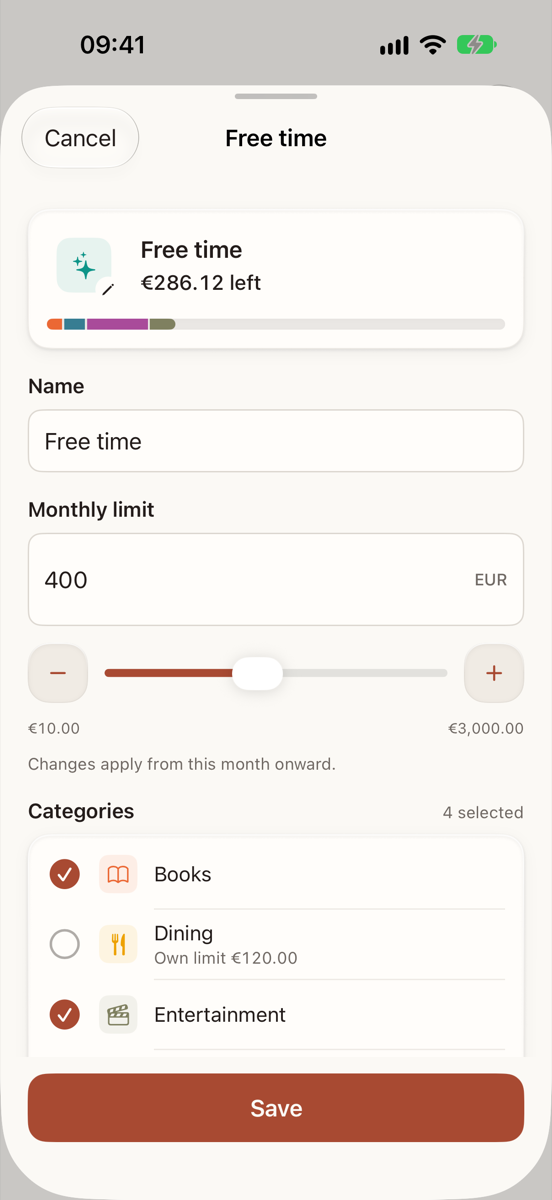
Setting a shared limit -
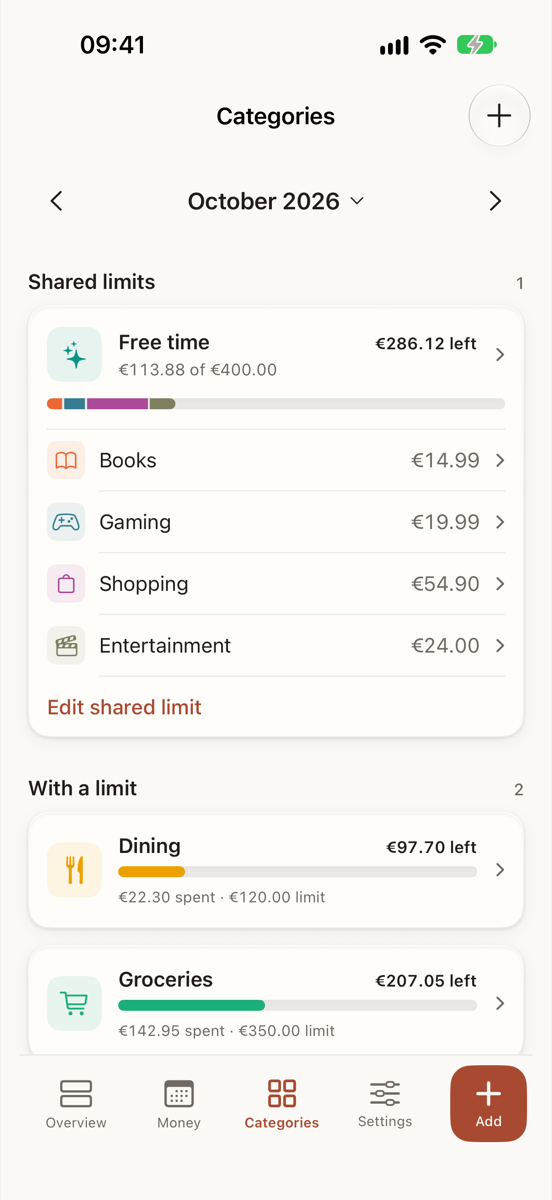
Categories, with one shared limit -
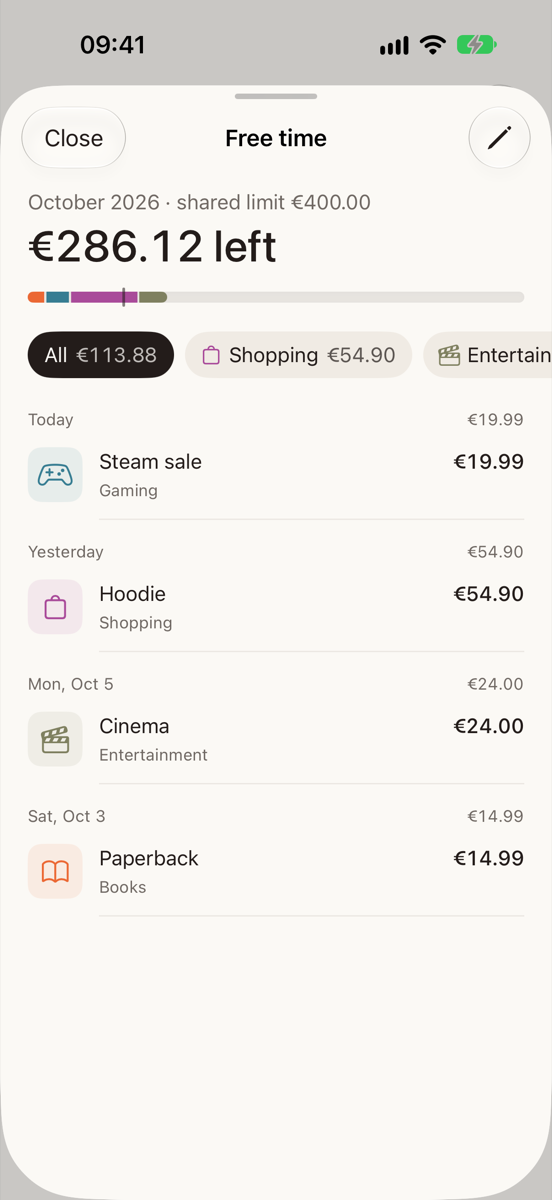
Tap a tile to see its purchases


See the month take shape
Daily bars for the month, monthly bars for the year. Drag to read any day.
- Where it went: categories by share, shared limits grouped.
-
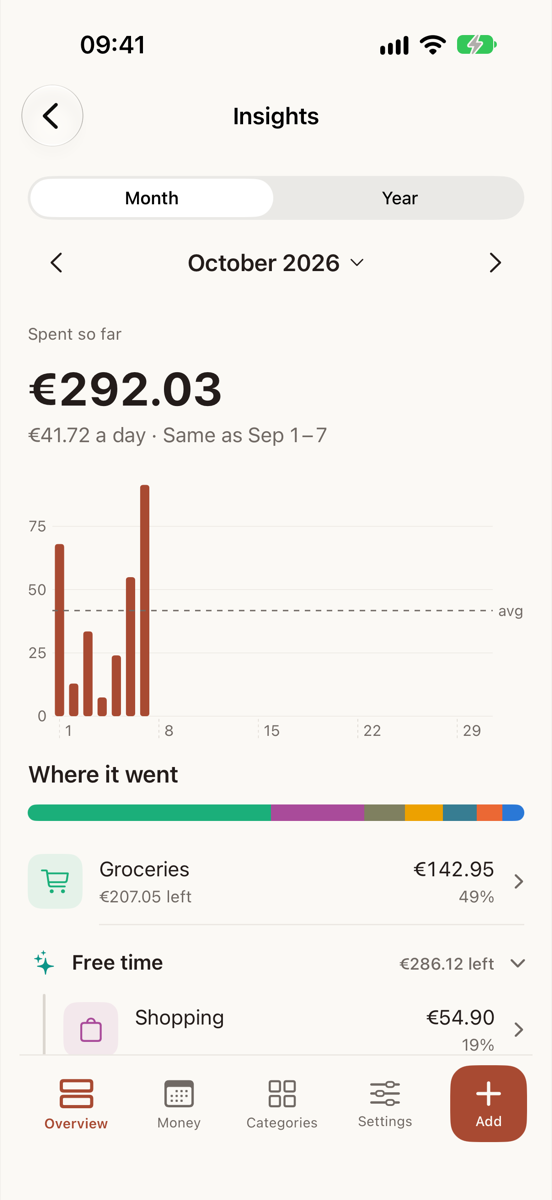
Drag across the days -
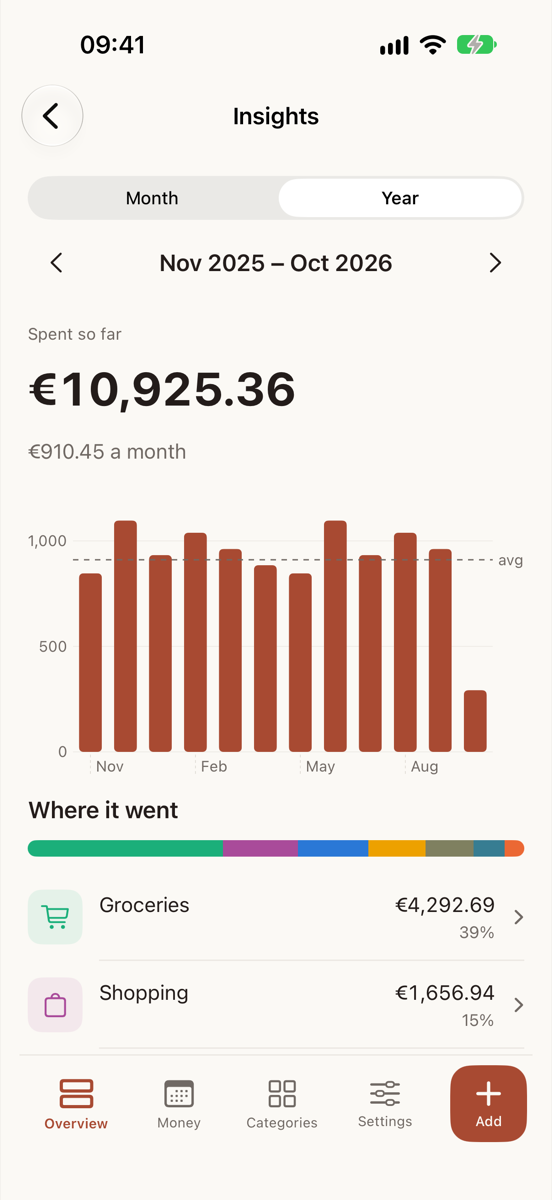
Year view


Income, payments and investments, kept apart
The fixed parts of the month, so the Overview can do its sum.
- Monthly and one-time income, counted in the month it lands.
- Recurring payments on their due day, with the service's icon.
- Investment transfers reduce what's left, never counted as spending.
- Other currencies at the ECB rate for the day (via frankfurter.dev). A missing rate is shown as missing, not as zero.

Check without opening Tarnlo
- WidgetsRemaining budget, one category, quick add. Home Screen and Lock Screen.
- Shortcuts and SiriRun it as a Shortcut, from the Action Button, or ask Siri where available.
“How much is left in Tarnlo?” - Wallet tap captureOptional. A card tap drops a draft into a review inbox. Nothing counts until you save it.
Your spending is nobody's business
No account. No server. Your records stay on your iPhone.
- AccountsNone.
- Analytics, adsNone. No trackers.
- SyncOptional, through your own private iCloud.
- App lockFace ID, covering every screen and sheet.
- Hide amountsA switch, a shake, and a separate switch for widgets.
- Backups, exportFiles you make and keep yourself.

Made to fit your phone
- LanguagesEnglish and German, including Shortcuts and widgets.
- AppearanceLight and dark, system or your choice.
- Text sizeWorks with large accessibility text sizes.
- DevicesiPhone. iPad and Mac not available yet.

Tarnlo for iPhone
Coming soon to the App Store.
Coming soon to the App Store
Requires an iPhone. No account, no ads, no analytics.
About the name
A tarn is a small mountain lake, what a glacier leaves behind. The mark is a passage: a clear way through the month.